You line up the shot, trim the awkward first second, pick the cover, write a caption that sounds like you, and hit Post. Then TikTok decides today is the day it will test your patience. The spinner hangs. The upload looks done but the post never appears. Or worse, it vanishes so cleanly that you start wondering whether you imagined pressing the button.
That feeling scrambles more than your mood. It messes with timing, momentum, and the little bit of confidence every creator needs to keep publishing. If you're asking why is my TikTok not posting, the answer usually isn't one dramatic cause. It's usually a chain. Sometimes your connection stutters. Sometimes the app is stale or overloaded with junk cache. Sometimes the file itself is the problem. Sometimes TikTok is reviewing, delaying, or restricting the post.
The fastest way out is to stop treating it like one mystery and start treating it like a diagnostic funnel. Rule out the easy stuff first. Then check whether the video is delayed, broken, or blocked. That's how experienced creators keep a bad upload from turning into a wasted hour.
Every creator has a version of this memory. You shoot something that should work. Maybe it's a clean talking-head clip with a strong hook. Maybe it's a trend you finally caught while it was still warm. You upload it, lock your phone, come back later, and find absolutely nothing where your post should be.
That's the part that gets under your skin. TikTok doesn't always fail loudly. Sometimes it fails in a vague, slippery way. The video sits in limbo. The app acts like it accepted the upload, but your profile doesn't show it. Drafts start looking suspicious. Your caption starts feeling cursed.
Most posting problems feel bigger than they are because TikTok rarely tells you, in plain language, what stage the upload is actually stuck in.
Creators usually make one of two mistakes here. They either panic too early and keep re-uploading the same video, or they assume TikTok is suppressing them when the problem is really technical. Both waste time, and both can make the situation harder to diagnose.
Here's the useful mindset. Treat your post like a package moving through checkpoints. First it has to leave your phone. Then TikTok has to process it. Then the app has to display it correctly. Then the platform may review or distribute it. A problem at any checkpoint can look identical from your side. “It's not posting.”
If you work through those in order, you'll usually find the actual culprit a lot faster than if you jump straight to shadowban theories.
TikTok's own troubleshooting starts with the basics: restart the app or device, update the app and operating system, and check your connection, according to TikTok's first troubleshooting steps. That's boring advice. It's also the right advice.
A weak connection doesn't always look weak. Your messages may send. Your browser may load. TikTok uploads can still choke because video files ask for more stability than casual scrolling.
Try this in order:
If your home network has been acting weird in general, this guide on how to fix your internet connection problems is worth a quick look before you keep blaming TikTok.
Closing TikTok from the app switcher and reopening it is good. Restarting your phone is better. Apps get stuck in ugly little states that don't show up as obvious crashes. A full restart clears out a surprising amount of nonsense.
Do this before reinstalling the app. Reinstalling is more disruptive, and it's not your first move.
Practical rule: If you haven't restarted both TikTok and your phone, you haven't really started troubleshooting yet.
Creators ignore this more than they admit. TikTok's upload flow changes often, and old app builds can behave strangely with newer posting features, media handling, or login states.
Check two things:
If either is behind, update it and try again. This matters even more if posting broke suddenly after working fine the day before.
The phrase clear cache sounds scary, but in normal use it's just housekeeping. Cache is temporary app data. When it gets corrupted or bloated, uploads and interface behavior can get weird.
Inside TikTok, clearing cache is one of the least destructive things you can try. It's not the same as deleting the app or wiping your account. If your posting workflow also includes planning ahead, this piece on whether you can schedule TikTok videos is a helpful companion, especially if you're trying to reduce last-minute posting chaos.
| Check | Why it matters | What to do |
| Connection | Unstable upload path | Switch Wi-Fi and cellular |
| App state | TikTok may be hung | Force close and reopen |
| Device state | Background glitches persist | Restart phone |
| Version mismatch | Old software causes odd failures | Update app and OS |
| Cache | Temporary data can misbehave | Clear cache in TikTok |
If one of these fixes it, great. Don't overthink it. If not, the next question is whether your post is failing, or just taking its sweet time.
A lot of “failed” TikTok posts are not failed posts. They're delayed posts, half-processed posts, or posts that reached TikTok but haven't fully shown their hand yet.
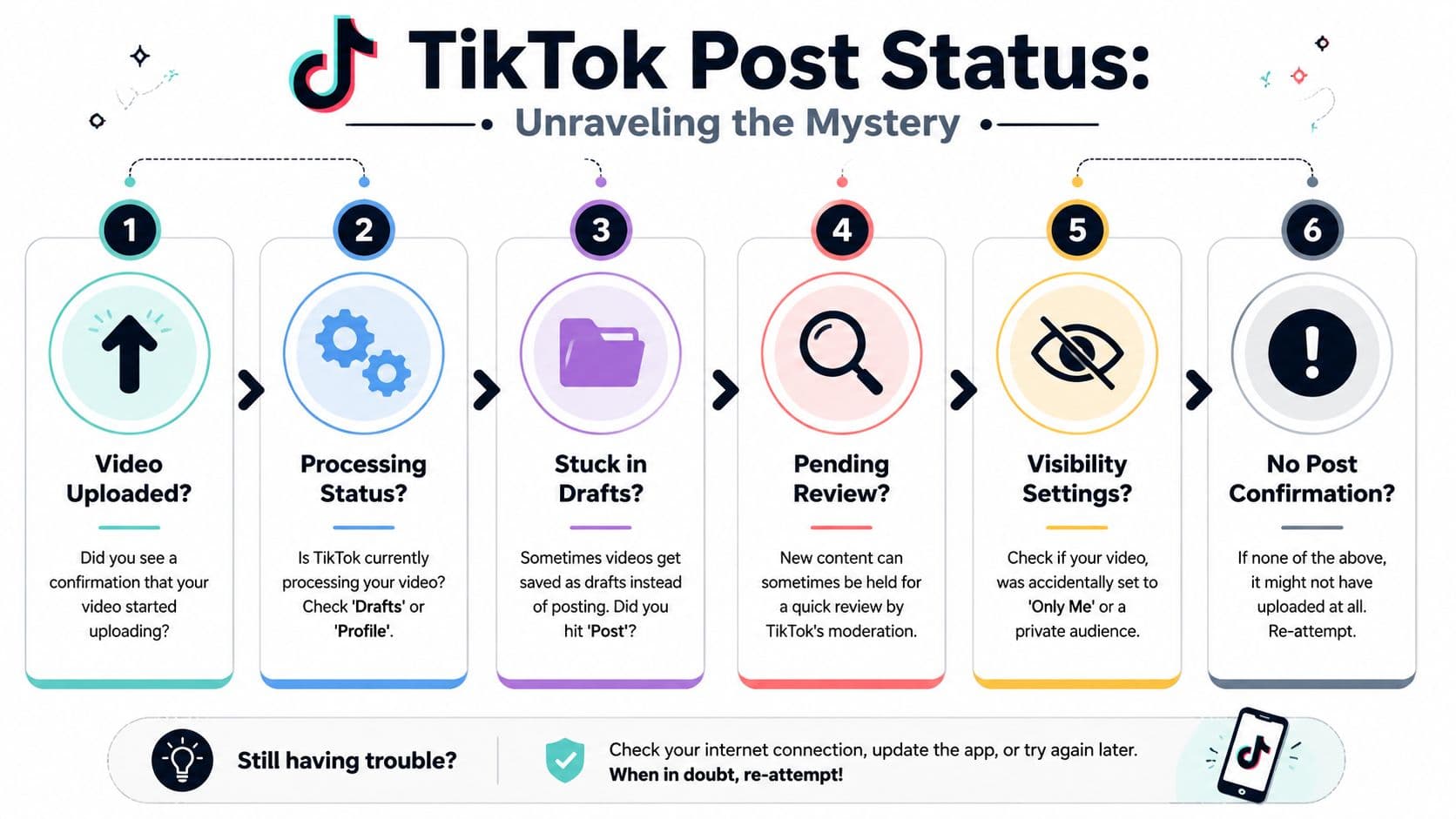
Think of TikTok like a shipping hub. Hitting Post is not the same as your video instantly landing on every screen it could possibly reach. The file still has to be ingested, processed, checked, and surfaced.
Creator tutorials note that if analytics are missing for a recent upload, you may need to wait a day or two for the system to catch up, as explained in this creator troubleshooting video. That's one reason people think TikTok rejected a post when it may still be making sense of it.
Some clues point to a delay rather than a true failure:
That last point matters. Bigger, more complex uploads usually need more processing time. If you post short clips all week and then upload a polished, high-resolution edit, don't expect TikTok to handle both the same way.
Before you repost, inspect what TikTok is telling you through behavior, not emotion.
Look in these places:
If the post exists but looks quiet, that doesn't automatically mean suppression. It may still be moving through TikTok's pipeline. If you're specifically worried about distribution limits rather than upload failure, this guide on how to know if you're shadowbanned on TikTok helps separate technical issues from visibility issues.
Don't treat missing early metrics as proof that the upload failed. TikTok doesn't report everything in real time.
| What you see | Most likely meaning | Best move |
| Upload bar never completes | Technical transfer problem | Retry after basic checks |
| Post appears, but no stats yet | Reporting delay | Wait and recheck later |
| Post visible only to you | Privacy or review issue | Check settings and account status |
| Post missing everywhere | Failed upload or platform issue | Inspect drafts, retry carefully |
Waiting helps when the upload appears to have gone through and TikTok just hasn't finished processing or reporting. Waiting does not help when the app repeatedly errors out before completion, or when the same clip keeps disappearing before publication.
That's the fork in the road. If TikTok accepted the file, patience is often the move. If TikTok can't reliably finish the upload, it's time to inspect the file itself.
Sometimes TikTok isn't the problem. Your video file is.

This is the scenario that drives creators nuts because it's so inconsistent. You can post two clips just fine, then one specific video refuses to go live no matter how many times you try. Community troubleshooting guides point out that after an upload appears to fail, the video may still be in drafts or still processing, especially on slower connections. They also note that if one specific file keeps failing while others work, corruption or an incompatible format is the likely issue, which may require repair or conversion before re-uploading, as discussed in this TikTok upload troubleshooting video.
Before you start exporting new versions, open drafts and look carefully. TikTok sometimes saves what feels like a failed post as a draft instead of publishing it. That's especially common when the app loses confidence midway through the process.
If the video is in drafts:
When every video fails, think app, device, or account. When one video fails and others post fine, think file.
Common signs of a file-level problem:
If you edit often on mobile, it also helps to review stronger export workflows and reliable tools. This roundup of TikTok video editing apps is useful if your current editor keeps giving you flaky exports.
You don't need to become a video engineer. You need a clean test version.
Try one or two of these, not ten at once:
That last trick sounds silly, but cloud sync weirdness causes more trouble than people think.
Here's a visual walkthrough if you want a second screen while testing fixes:
There's a point where an old draft becomes haunted. You open it, the preview stutters, the caption won't behave, or posting from that draft fails every time. When that happens, stop trying to revive the draft forever.
Use this comparison:
| Situation | Better move |
| Fresh draft, looks normal | Try posting once |
| Draft previews badly | Re-export and rebuild |
| Same file fails from draft and camera roll | Convert or repair file |
| Other videos post fine | Focus on that one media file |
If a video keeps failing in the exact same way, stop tapping Post and start changing the file.
Experienced creators keep a master file and a posting copy. If TikTok rejects the posting copy, they don't destroy the edit. They make a fresh export, sometimes slightly lighter, cleaner, or shorter, and test again. That's faster than guessing.
If your answer to why is my TikTok not posting is “only this one video won't go,” your best suspect is usually not the algorithm. It's the file.
At some point, you've checked the phone, the app, the connection, and the file. That leaves the uncomfortable possibility that TikTok is the issue.
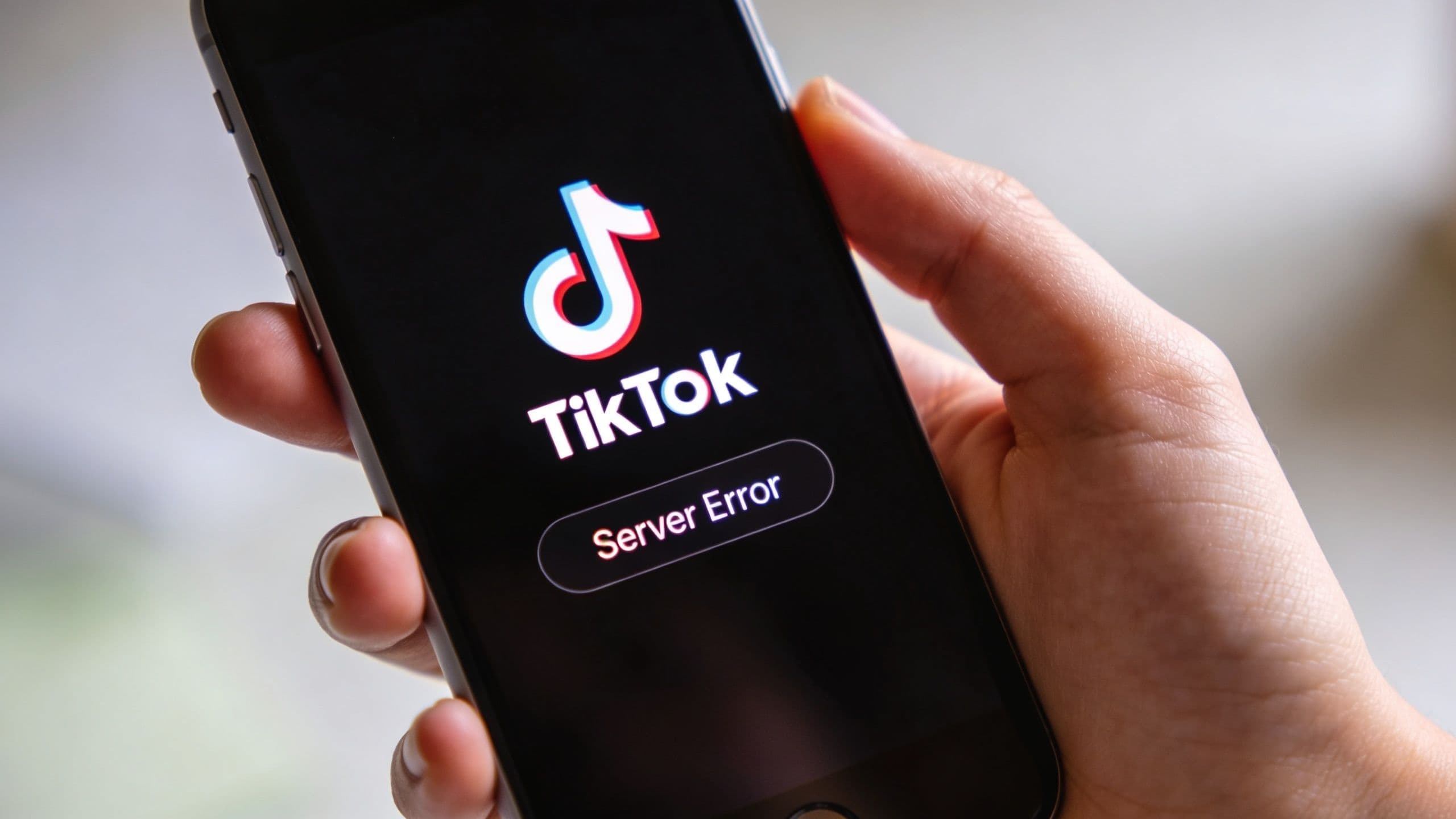
Platform-side issues fall into two buckets. The first is broad and temporary, like server instability. The second is personal and awkward, like moderation, review, privacy settings, or account restrictions.
If TikTok is glitching for lots of people at once, your troubleshooting options are limited. This is when checking outage chatter or a service monitor can save you from pointless experiments. If uploads, profiles, and comments are all acting strange at the same time, the cleanest move is often to wait and try later.
Don't reinstall your whole life because TikTok had a rough hour.
Creators often get tripped up here. A post can fail to appear, disappear after upload, or remain invisible because TikTok is enforcing rules, not because your phone broke.
TikTok's help materials confirm that videos can fail to post or be removed if they violate Community Guidelines, and posting can also be affected by account restrictions, as summarized in this overview of TikTok videos uploaded but not showing. That means a technical-looking symptom can instead be a policy symptom.
Use a short diagnostic list before you jump to conclusions:
If you're trying to understand the broader logic behind what gets shown, delayed, or limited, this breakdown of the TikTok algorithm explained helps connect the dots between content signals and distribution behavior.
A post that “won't post” may actually have posted into a review or enforcement lane you can't fully see.
| Symptom | More likely technical | More likely policy-related |
| Upload never completes | Yes | Less likely |
| Only one file fails | Yes | Less likely |
| Post disappears after upload | Possible | Very possible |
| Post visible only to you | Possible | Very possible |
| Multiple posts affected over time | Possible | Stronger signal |
Creators waste a lot of energy on random ritual fixes when the issue is moderation. Clearing cache won't solve a guideline problem. Rebooting won't change a private audience setting. Re-uploading the exact same questionable clip often just repeats the same outcome.
The smart move is to change your diagnosis, not just your button pressing. If the pattern looks account- or content-specific, investigate those causes directly.
The best fix is not needing one ten minutes before your ideal posting window.
Creators who publish smoothly tend to have a repeatable pre-post habit. It isn't glamorous. It just catches problems before TikTok catches them for you.
Run this before important uploads:
This routine sounds small because it is. That's why it works. You'll do it.
If multiple clean files fail across more than one attempt, and basic checks haven't fixed it, stop brute-forcing the problem. Gather useful details first:
| Include when contacting support | Why it helps |
| Device model | Narrows compatibility issues |
| App version | Identifies stale build problems |
| What happens on screen | Distinguishes upload failure from visibility issue |
| Whether other videos post | Helps isolate file versus account issue |
| Screenshot or screen recording | Gives support something concrete |
Support requests are far more useful when you describe the exact stage where the failure happens.
A lot of posting pain comes from rushed workflows. You finish editing, scramble for a caption, upload on weak Wi-Fi, then assume any issue is algorithmic sabotage. It usually isn't.
The better approach is to treat publishing like part of your production workflow, not an afterthought. If you're trying to build that habit, this data-driven guide to scheduling social content is a solid resource for thinking more systematically about timing and process. Pair that with a simple TikTok content calendar template, and you'll cut down a lot of last-minute posting chaos.
Good posting hygiene won't prevent every TikTok glitch, but it will eliminate a lot of self-inflicted ones.
That last one matters. If the same problem shows up around the same type of content, network, or device state, you can fix the system instead of repeatedly suffering through the symptom.
It can. If your upload path or account behavior changes because your connection appears to come from somewhere unusual, TikTok may behave unpredictably. If you use a VPN, turn it off and try a normal connection before diagnosing anything deeper.
That usually means the transfer finished but the handoff or processing didn't. Wait a bit before force-closing the app. If it stays frozen for a long stretch and never resolves, check drafts, then retry with a fresh app launch. If the same file keeps doing it, suspect the file.
Usually not directly. Posting time matters more for audience activity than for raw upload success. A bad connection, bad file, or app glitch is the more likely reason a post won't go through.
No. Restarting, updating, and clearing cache are cleaner first moves. Reinstalling is better kept for cases where the app itself feels broadly broken.
That can happen when the post is delayed, private, under review, or affected by account-level issues. Check visibility settings first, then look for broader account clues.
Not forever. A couple of attempts is reasonable. After that, create a fresh export and test a new file instead of hammering the same broken one.
If you want fewer last-minute posting surprises and a clearer publishing system, try Trendy. It helps creators plan smarter with personalized post ideas, trend insights, performance analysis, and a weekly strategy that makes TikTok feel less like guesswork. You can download Trendy on iOS or Android.